


Finding the best AI tools for content creators can feel like searching for a needle in a digital haystack. With new platforms launching daily, creators face a paradox of choice—too many options, yet none that perfectly fit their unique workflow. Whether you’re a YouTuber battling writer’s block, a blogger struggling with SEO, or a social media manager drowning in repetitive tasks, AI promises to be the game-changer. But here’s the catch: not all AI tools are created equal. Some dazzle with flashy features but fail at delivering real results, while others quietly revolutionize productivity without the hype. This guide cuts through the noise to highlight the most effective, battle-tested AI tools that actually move the needle for content creators in 2024.
What Are AI Tools for Content Creators?
AI tools for content creators are specialized software platforms that leverage machine learning and natural language processing to automate, enhance, or generate content. These tools can handle everything from brainstorming ideas and drafting scripts to optimizing headlines and analyzing performance metrics. The best ones don’t just replace human effort—they amplify creativity by handling the tedious parts of content production, freeing creators to focus on strategy and storytelling. Think of them as digital assistants that learn your style, adapt to your audience, and scale your output without sacrificing quality.
For example, an AI writing assistant might generate a first draft of a blog post in seconds, but it’s the creator’s unique voice and insights that turn it into something memorable. Similarly, AI-powered video editors can cut hours off post-production, but the final polish still requires a human touch. The key is finding tools that integrate seamlessly into your workflow, rather than forcing you to adapt to their limitations.
Top AI Writing Assistants for Bloggers and Copywriters
Writing is the backbone of content creation, and AI writing assistants have become indispensable for bloggers, marketers, and copywriters. These tools go beyond simple grammar checks—they help with ideation, structure, and even tone of voice. Jasper (formerly Jarvis) is a standout for its ability to generate long-form content that sounds human. It’s particularly useful for overcoming writer’s block, as it can produce outlines, introductions, and even full articles based on a few prompts. Many creators use it to draft blog posts, email sequences, and social media captions, then refine the output to match their brand voice.
Another powerhouse is Copy.ai, which excels at short-form content like ad copy, product descriptions, and social media posts. Its strength lies in its versatility—it offers templates for nearly every type of writing, from LinkedIn posts to Amazon product listings. For those who need a more budget-friendly option, Rytr provides a solid alternative with a free tier that’s surprisingly robust. It’s ideal for creators who want to experiment with AI without committing to a subscription.
How to Choose the Right AI Writing Tool
Not all AI writing tools are created equal, and the best one for you depends on your specific needs. Start by identifying your pain points: Are you struggling with ideation, drafting, or editing? If you’re a blogger, look for tools with strong long-form capabilities, like Jasper or SurferSEO’s AI integration. For social media managers, tools like Copy.ai or Writesonic might be a better fit due to their focus on short-form content.
Next, consider your budget. Many AI writing tools offer free trials or freemium plans, so take advantage of these to test drive the features. Pay attention to the tool’s learning curve—some platforms require more setup time to train the AI on your brand voice, while others work out of the box. Finally, check for integrations with other tools you use, such as WordPress, Google Docs, or Canva. The smoother the workflow, the more likely you’ll stick with it.
Common Mistakes to Avoid
One of the biggest mistakes creators make with AI writing tools is relying on them too heavily without editing the output. AI-generated content often lacks the nuance and personality that makes human writing engaging. Always treat AI as a starting point, not the final product. Another pitfall is ignoring SEO. While tools like Jasper can generate content quickly, they don’t always optimize for search engines. Pair your AI writing tool with an SEO platform like SurferSEO or Clearscope to ensure your content ranks well.
Lastly, don’t fall into the trap of using AI to churn out generic content. The internet is already flooded with mediocre, AI-generated articles. Stand out by adding your unique perspective, storytelling, and expertise to every piece. AI should enhance your creativity, not replace it.
AI-Powered Video Editing Tools for YouTubers
Video content dominates the digital landscape, but editing can be a time-consuming nightmare. AI-powered video editing tools are changing the game by automating repetitive tasks like cutting, trimming, and even adding subtitles. Descript is a favorite among YouTubers for its innovative approach to editing. Instead of working with a traditional timeline, Descript transcribes your video into text, allowing you to edit the script directly. Delete a word, and the corresponding video clip disappears. It’s like editing a document, not a video, and it saves hours of work.
For creators who need more advanced features, Runway ML offers AI-powered effects like green screen removal, object tracking, and even generative video. It’s particularly useful for adding visual flair to your content without needing a background in VFX. Another standout is Pictory, which can turn long-form videos into bite-sized clips for social media. This is a game-changer for repurposing content across platforms like Instagram, TikTok, and LinkedIn.
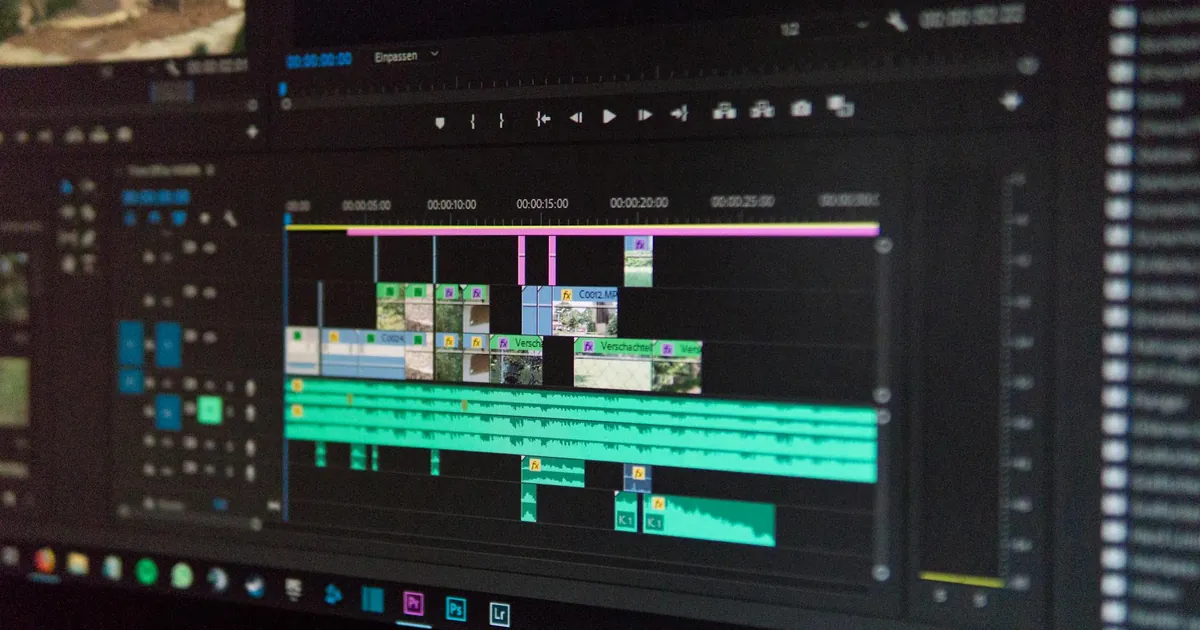
If you’re just starting out, CapCut is a free, user-friendly option that includes AI features like auto-captioning and background removal. It’s a great way to dip your toes into AI video editing without a steep learning curve. For more advanced creators, Adobe Premiere Pro’s AI tools (like Auto Reframe and Speech to Text) integrate seamlessly into existing workflows, making them a natural upgrade for those already using Adobe’s suite.
AI Tools for Social Media Content Creation
Social media moves fast, and creators need tools that can keep up. AI-powered platforms are making it easier than ever to generate engaging content, schedule posts, and analyze performance. Canva’s AI features are a standout for designers and non-designers alike. Its Magic Design tool can generate custom templates based on a simple text prompt, while its text-to-image generator creates unique visuals in seconds. This is perfect for creators who need eye-catching graphics but don’t have the time or skills to design them from scratch.
For those focused on written content, Lately is a game-changer. It uses AI to analyze your past social media posts and identify the most engaging phrases and topics. It then repurposes long-form content (like blogs or videos) into dozens of social media posts tailored to each platform. This saves hours of brainstorming and ensures your content resonates with your audience. Another tool worth exploring is Predis.ai, which generates complete social media posts—including captions, hashtags, and even emojis—based on a few keywords.
If you’re looking for a more comprehensive solution, Hootsuite’s AI-powered Insights can help you track trends, monitor competitors, and optimize your posting schedule. It’s like having a social media strategist in your pocket, available 24/7. For creators who want to take their social media game to the next level, these tools are a must-have.
How AI Can Boost Engagement on Social Media

Engagement is the lifeblood of social media, and AI tools can help you create content that resonates with your audience. One of the most effective strategies is using AI to analyze your past posts and identify patterns. Tools like BuzzSumo or Sprout Social can show you which topics, formats, and posting times generate the most engagement. Armed with this data, you can double down on what works and phase out what doesn’t.
Another way AI boosts engagement is through personalization. Platforms like Persado use AI to craft messages that speak directly to your audience’s emotions. For example, it can analyze your followers’ language patterns and suggest captions that are more likely to elicit a response. Similarly, AI-powered chatbots can engage with your audience in real time, answering questions and guiding them to your content. This not only increases engagement but also builds a sense of community around your brand.
Repurposing Content with AI
One of the biggest challenges for content creators is repurposing content across multiple platforms. What works on Instagram might not resonate on LinkedIn, and vice versa. AI tools can help bridge this gap by automatically adapting your content for different platforms. For example, Repurpose.io can turn a YouTube video into a podcast episode, a blog post, and a series of social media clips—all with minimal input from you.
Another tool, ContentStudio, uses AI to suggest the best times to post, the most effective hashtags, and even the ideal length for your captions. This ensures your content is optimized for each platform, maximizing its reach and engagement. By leveraging AI for repurposing, you can maintain a consistent presence across all your channels without burning out.
AI for SEO and Content Optimization
Creating great content is only half the battle—you also need to ensure it’s discoverable. AI tools for SEO and content optimization can help you rank higher in search results and attract more organic traffic. SurferSEO is a standout in this space, using AI to analyze the top-ranking pages for your target keyword and provide actionable recommendations. It tells you exactly how long your article should be, which keywords to include, and even how many images or headings to use. This takes the guesswork out of SEO and helps you create content that’s primed to rank.
Another powerful tool is Clearscope, which provides real-time feedback on your content’s relevance and readability. It grades your article based on how well it covers the topic and suggests improvements to boost its SEO score. For creators who want to dive deeper into keyword research, Ahrefs’ AI-powered tools can help you identify low-competition keywords and track your rankings over time. This is especially useful for bloggers and YouTubers who rely on organic traffic for growth.
If you’re looking for a more budget-friendly option, Ubersuggest offers AI-driven keyword suggestions and content ideas. It’s a great starting point for creators who are new to SEO and want to learn the basics without overwhelming complexity. For those who prefer an all-in-one solution, SEMrush combines AI-powered SEO tools with content marketing, social media, and advertising features. It’s a bit pricier, but it’s worth the investment if you’re serious about growing your online presence.
AI Tools for Graphic Design and Visual Content
Visual content is king in today’s digital landscape, but not every creator has the skills or budget to hire a designer. AI-powered graphic design tools are leveling the playing field by making professional-quality visuals accessible to everyone. Canva’s AI features are a game-changer for non-designers. Its Magic Design tool can generate custom templates based on a simple text prompt, while its text-to-image generator creates unique visuals in seconds. This is perfect for creators who need eye-catching graphics for social media, blogs, or presentations.
For those who need more advanced capabilities, Adobe Firefly offers AI-powered design tools that integrate seamlessly with Photoshop and Illustrator. It can generate images from text prompts, remove backgrounds, and even recolor entire designs with a single click. Another standout is Midjourney, which specializes in generating high-quality, photorealistic images from text descriptions. It’s particularly useful for creators who need custom illustrations or concept art for their projects.
If you’re looking for a free alternative, DALL·E 3 (available through Bing Image Creator) can generate stunning visuals based on your prompts. While it doesn’t offer the same level of customization as paid tools, it’s a great way to experiment with AI-generated art. For creators who need to edit photos, Remove.bg uses AI to automatically remove backgrounds from images, saving hours of manual work. These tools make it easier than ever to create professional-quality visuals without a design degree.
Key Takeaways
- AI tools for content creators automate repetitive tasks, enhance creativity, and scale output without sacrificing quality.
- For writing, tools like Jasper and Copy.ai generate drafts and short-form content, but human editing is essential for authenticity.
- Video editors like Descript and Runway ML save time by automating cutting, trimming, and adding effects.
- Social media tools like Canva and Lately help generate engaging content, repurpose posts, and analyze performance.
- SEO tools like SurferSEO and Clearscope optimize content for search engines, improving discoverability and traffic.
- Graphic design tools like Canva and Adobe Firefly make professional-quality visuals accessible to non-designers.
- Always treat AI as a starting point—your unique voice and expertise are what make content truly stand out.
“AI is not here to replace content creators—it’s here to empower them. The best tools don’t just save time; they unlock new levels of creativity and efficiency. The key is to use AI strategically, focusing on areas where it can add the most value, like ideation, editing, and optimization. The future of content creation is a partnership between human ingenuity and artificial intelligence.”
— Sarah Johnson, Content Strategist at Forbes
Frequently Asked Questions
Are AI tools for content creators expensive?
Not necessarily. Many AI tools offer free tiers or affordable plans for beginners. For example, Rytr and Canva have free versions that are surprisingly robust, while tools like Jasper and SurferSEO offer paid plans with advanced features. The key is to start with a tool that fits your budget and scale up as your needs grow. Many platforms also offer discounts for annual subscriptions, so it’s worth exploring those options if you’re committed to using AI long-term.
Can AI tools replace human content creators?
No, and they’re not designed to. AI tools are best used as assistants that handle repetitive or time-consuming tasks, freeing creators to focus on strategy, storytelling, and building connections with their audience. While AI can generate drafts, edit videos, or create graphics, it lacks the creativity, empathy, and unique perspective that only humans can provide. The most successful creators use AI to enhance their work, not replace it.
How do I choose the best AI tool for my needs?
Start by identifying your biggest pain points. Are you struggling with writing, editing, design, or SEO? Once you know where you need help, look for tools that specialize in those areas. For example, if you’re a blogger, prioritize AI writing assistants like Jasper or SEO tools like SurferSEO. If you’re a social media manager, tools like Canva or Lately might be a better fit. Take advantage of free trials to test drive the features, and pay attention to the tool’s learning curve and integrations with other platforms you use.
Are AI-generated images and videos legal to use?
It depends on the tool and how you use the content. Most AI image and video generators, like Midjourney or DALL·E, allow you to use the output for commercial purposes, but it’s important to check their terms of service. Some tools may require attribution or prohibit certain types of content. Additionally, be mindful of copyright issues—avoid generating content that mimics existing artists or brands too closely. When in doubt, consult a legal expert or stick to tools with clear, creator-friendly policies.
How can I ensure my AI-generated content sounds human?
The key is to treat AI-generated content as a first draft, not the final product. Always edit the output to match your brand voice and add your unique perspective. Avoid generic phrases and clichés, and focus on storytelling and personal anecdotes to make your content more engaging. Tools like Grammarly or Hemingway can help refine your writing, but nothing beats a human touch. Read your content aloud to ensure it flows naturally, and don’t be afraid to rewrite sections that feel robotic or impersonal.
What are the best AI tools for beginners?
If you’re new to AI, start with user-friendly tools that require minimal setup. For writing, Rytr is a great option with a free tier. For design, Canva’s AI features are intuitive and accessible. For video editing, CapCut offers a simple interface with AI-powered tools like auto-captioning. For social media, tools like Predis.ai generate complete posts with minimal input. These tools are designed to be beginner-friendly, so you can experiment with AI without feeling overwhelmed.
How can AI tools help me monetize my content?
AI tools can help you monetize your content in several ways. First, they can increase your output, allowing you to publish more frequently and attract a larger audience. For example, AI writing assistants can help you produce more blog posts, while video editing tools can speed up your production process. Second, AI can improve the quality of your content, making it more engaging and shareable. This can lead to higher ad revenue, more sponsorships, and increased sales of digital products or services. Finally, AI tools can help you optimize your content for SEO, driving more organic traffic to your site or channel. For more tips on monetizing with AI, check out this guide to earning online using AI tools.
AI tools are reshaping the content creation landscape, but they’re not a magic bullet. The most successful creators use them to enhance their work, not replace it. By integrating AI into your workflow strategically, you can save time, boost productivity, and focus on what matters most—creating content that resonates with your audience. Start with one or two tools that address your biggest pain points, and experiment to find what works best for you. The future of content creation is here, and it’s powered by AI.