


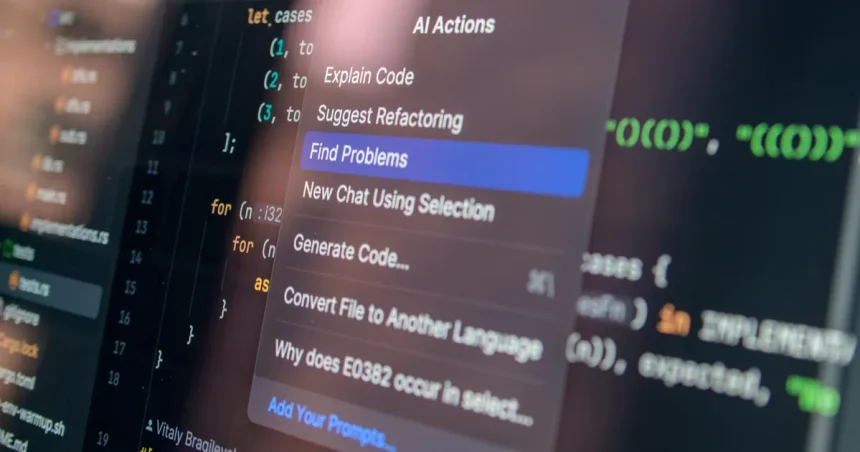
Free AI tools that can save your time aren’t just a luxury—they’re a game-changer for anyone drowning in repetitive tasks, overflowing inboxes, or creative blocks. Imagine reclaiming hours each week without spending a dime, all while boosting your productivity to levels you once thought impossible. The best part? These tools aren’t reserved for tech giants or Silicon Valley startups. Whether you’re a freelancer juggling deadlines, a student buried in research, or a small business owner wearing too many hats, AI-powered solutions are now accessible to everyone. The key is knowing which tools to use and how to integrate them seamlessly into your workflow. From automating mundane chores to generating high-quality content in seconds, the right AI tools can transform the way you work, think, and even relax. Let’s dive into the most powerful, free AI tools available today and explore how they can help you work smarter, not harder.
What Are Free AI Tools That Can Save Your Time?
Free AI tools that can save your time are software applications powered by artificial intelligence, designed to automate, optimize, or enhance tasks that would otherwise eat up your day. These tools leverage machine learning, natural language processing, and predictive algorithms to handle everything from scheduling meetings to drafting emails, analyzing data, or even generating creative content. Unlike traditional software, AI tools learn and adapt over time, becoming more efficient as they process more data. The beauty of these tools lies in their accessibility—many offer robust free tiers that provide significant value without requiring a credit card. Whether you’re looking to streamline communication, manage projects, or spark creativity, there’s likely an AI tool tailored to your needs. The challenge isn’t finding these tools; it’s choosing the right ones and using them effectively to maximize your time savings.
How AI Tools Differ from Traditional Software

Traditional software follows rigid rules and requires manual input for every task. For example, a spreadsheet program can crunch numbers, but you still need to write the formulas and interpret the results. AI tools, on the other hand, can analyze data, spot patterns, and even suggest actions without explicit instructions. Take a tool like Grammarly, which doesn’t just check grammar—it learns your writing style and offers context-aware suggestions. Similarly, AI-powered scheduling tools like x.ai can negotiate meeting times with multiple participants, something a traditional calendar app can’t do. The shift from manual to intelligent automation is what makes AI tools so powerful for time-saving.
Why Free AI Tools Are a Game-Changer for Productivity
Free AI tools democratize productivity by removing financial barriers. In the past, advanced automation was limited to companies with deep pockets. Today, tools like Notion AI or Otter.ai offer free plans that can handle complex tasks like note-taking, transcription, or project management. For solopreneurs or small teams, this means competing with larger organizations on a level playing field. Moreover, free AI tools often integrate with other platforms, creating a seamless ecosystem that reduces friction in your workflow. The result? Less time spent on administrative tasks and more time focused on high-impact work.
Top Free AI Tools for Automating Repetitive Tasks

Repetitive tasks are the silent killers of productivity. They’re easy to overlook because they don’t require much brainpower, but they add up quickly, leaving you with less time for meaningful work. Fortunately, free AI tools can handle many of these tasks automatically, freeing you to focus on what truly matters. From email management to data entry, these tools are designed to work in the background, learning your preferences and adapting to your needs. The best part? You don’t need to be a tech expert to use them. Many of these tools offer intuitive interfaces that make automation accessible to everyone.
Zapier: The Ultimate Automation Hub
If you’ve ever wished your apps could talk to each other, Zapier is the tool for you. Zapier connects over 3,000 apps, allowing you to create automated workflows (called “Zaps”) without writing a single line of code. For example, you can set up a Zap to automatically save email attachments to Google Drive, or send a Slack notification whenever a new lead fills out a form on your website. The free plan includes 100 tasks per month, which is plenty for most individuals or small teams. Zapier’s real power lies in its flexibility—you can automate almost any repetitive task, from social media posting to customer follow-ups. If you’re looking to eliminate manual work, Zapier is a must-have in your toolkit.
IFTTT: Simplifying Daily Workflows

IFTTT (If This Then That) is another automation powerhouse, but it’s designed with simplicity in mind. Unlike Zapier, which is geared toward business users, IFTTT is perfect for automating personal tasks. For instance, you can create an applet to automatically turn on your smart lights when you arrive home, or save Instagram photos to Dropbox with a single tap. IFTTT’s free plan allows you to create up to five applets, which is enough to automate several daily tasks. The platform also offers pre-made applets for common use cases, so you don’t have to start from scratch. Whether you’re managing your smart home or streamlining your social media presence, IFTTT makes automation effortless.
Free AI Tools for Content Creation and Writing
Content creation is one of the most time-consuming aspects of modern work, whether you’re drafting blog posts, social media updates, or marketing copy. Free AI tools can significantly speed up this process by generating ideas, refining your writing, or even creating entire drafts for you. These tools aren’t just for professional writers—they’re invaluable for anyone who needs to communicate clearly and effectively. From grammar checks to content generation, AI-powered writing tools can help you produce high-quality content in a fraction of the time. The key is to use them as assistants, not replacements, to enhance your creativity and efficiency.
Grammarly: Your AI Writing Assistant
Grammarly is more than just a grammar checker—it’s a full-fledged writing assistant that helps you communicate with confidence. The free version offers real-time grammar, spelling, and punctuation checks, along with suggestions for clarity and tone. For example, if you’re writing an email to a client, Grammarly can help you strike the right tone, whether it’s formal, friendly, or persuasive. The tool also integrates with most writing platforms, including Google Docs, Microsoft Word, and even social media sites. For non-native English speakers, Grammarly is a lifesaver, offering explanations for its suggestions so you can learn as you write. If you spend any time writing, Grammarly is a tool you can’t afford to ignore.
Copy.ai: Generating High-Quality Content in Seconds

Writer’s block is a thing of the past with Copy.ai. This AI-powered tool generates high-quality content for blogs, social media, ads, and more in seconds. Simply input a few keywords or a brief description, and Copy.ai will provide multiple variations of your content, from catchy headlines to full-length articles. The free plan includes 2,000 words per month, which is enough to generate several blog posts or dozens of social media updates. Copy.ai is particularly useful for marketers, small business owners, or anyone who needs to produce content quickly without sacrificing quality. While the tool won’t replace human creativity, it’s an excellent way to jumpstart your writing process and overcome blank-page syndrome.
AI-Powered Tools for Time Management and Scheduling
Time management is a constant struggle in today’s fast-paced world. Between meetings, deadlines, and personal commitments, it’s easy to feel overwhelmed. Free AI tools can help you take control of your schedule by automating scheduling, prioritizing tasks, and even predicting how long projects will take. These tools use machine learning to analyze your habits and suggest optimizations, so you can make the most of your time. Whether you’re a busy professional or a student juggling multiple responsibilities, AI-powered time management tools can help you stay organized and focused.
Clockwise: Optimizing Your Calendar for Focus Time
Clockwise is an AI-powered calendar assistant that optimizes your schedule to create more focus time. It analyzes your meetings, deadlines, and preferences to suggest the best times for deep work, breaks, and even lunch. For example, if you have back-to-back meetings, Clockwise can automatically reschedule them to create longer blocks of uninterrupted time. The free plan includes basic scheduling features, which are perfect for individuals or small teams. Clockwise also integrates with tools like Slack and Zoom, making it easy to manage your entire workflow from one place. If you’re tired of feeling like your calendar is controlling you, Clockwise can help you take back control.
Motion: AI-Powered Task Prioritization

Motion is an AI-driven task manager that helps you prioritize your to-do list based on deadlines, importance, and your personal work habits. Unlike traditional task managers, Motion learns how you work and adjusts its recommendations over time. For example, if you tend to procrastinate on certain types of tasks, Motion will suggest breaking them into smaller, more manageable steps. The free plan includes basic task management features, which are ideal for individuals or small teams. Motion also integrates with Google Calendar and other productivity tools, so you can manage your tasks and schedule in one place. If you’re looking for a smarter way to manage your workload, Motion is worth a try.
Free AI Tools for Data Analysis and Insights
Data is the backbone of modern decision-making, but analyzing it can be time-consuming and complex. Free AI tools can simplify this process by automating data collection, visualization, and interpretation. Whether you’re tracking website traffic, analyzing customer feedback, or monitoring social media trends, these tools can help you uncover insights without needing a degree in data science. The best part? Many of these tools offer intuitive interfaces that make data analysis accessible to everyone, regardless of technical expertise. By leveraging AI, you can make data-driven decisions faster and with greater confidence.
Google Sheets with AI Add-ons: Smart Data Analysis
Google Sheets is already a powerful tool for data analysis, but with AI add-ons, it becomes even more capable. Tools like SheetAI or ApexCharts can automate tasks like data cleaning, trend analysis, and even predictive modeling. For example, you can use SheetAI to generate insights from your data with natural language queries, like “What were my top-selling products last month?” These add-ons are free to use and integrate seamlessly with Google Sheets, making them ideal for small businesses or individuals who need to analyze data without hiring a data scientist. If you’re already using Google Sheets, adding AI capabilities is a no-brainer.
Tableau Public: Visualizing Data with AI
Tableau Public is a free data visualization tool that uses AI to help you create interactive dashboards and reports. Whether you’re tracking sales data, social media metrics, or personal finances, Tableau Public can turn raw data into compelling visuals with just a few clicks. The tool offers AI-powered features like “Ask Data,” which allows you to query your data using natural language. For example, you can type “Show me sales by region” and Tableau will generate the appropriate chart. Tableau Public is perfect for anyone who needs to present data in a clear, engaging way. The best part? Your visualizations are automatically published to the web, so you can share them with others effortlessly.
AI Tools for Enhancing Creativity and Brainstorming
Creativity is often seen as a mysterious, elusive process, but AI tools can help demystify it. Whether you’re brainstorming ideas for a project, designing a logo, or composing music, free AI tools can spark inspiration and streamline the creative process. These tools use machine learning to generate ideas, suggest improvements, or even create original content based on your input. The key is to use them as collaborators, not crutches, to enhance your creativity rather than replace it. By leveraging AI, you can break through creative blocks and produce work that stands out.
Canva’s AI Design Tools: Effortless Graphic Creation
Canva is already a go-to tool for graphic design, but its AI-powered features take it to the next level. With Canva’s Magic Design tool, you can generate custom designs in seconds by simply describing what you need. For example, you can type “a modern logo for a coffee shop” and Canva will provide multiple design options tailored to your request. The free plan includes access to thousands of templates, stock photos, and AI-powered design suggestions. Canva is perfect for small business owners, marketers, or anyone who needs to create professional-looking graphics without hiring a designer. If you’re looking to elevate your visual content, Canva’s AI tools are a game-changer.
Uizard: Turning Sketches into Digital Designs
Uizard is an AI-powered tool that turns hand-drawn sketches into digital designs. Whether you’re wireframing a website, designing a mobile app, or creating a presentation, Uizard can transform your rough sketches into polished prototypes in minutes. The free plan includes basic design features, which are perfect for individuals or small teams. Uizard’s AI can even suggest design improvements based on best practices, helping you create user-friendly interfaces without needing a background in UX design. If you’re a non-designer who needs to create digital prototypes quickly, Uizard is an invaluable tool.
Key Takeaways
- Free AI tools can automate repetitive tasks, saving you hours each week without requiring technical expertise.
- Tools like Zapier and IFTTT connect your favorite apps to create seamless workflows, eliminating manual work.
- AI-powered writing tools like Grammarly and Copy.ai enhance your content creation process, from grammar checks to full drafts.
- Time management tools like Clockwise and Motion help you optimize your schedule and prioritize tasks effectively.
- Data analysis tools like Google Sheets with AI add-ons and Tableau Public make it easy to uncover insights without a data science background.
- Creative tools like Canva and Uizard use AI to generate designs, prototypes, and ideas, sparking inspiration and streamlining the creative process.
- Integrating these tools into your workflow can transform the way you work, allowing you to focus on high-impact tasks and achieve more in less time.
Expert Insights
“AI tools are no longer a futuristic concept—they’re a practical necessity for anyone looking to stay competitive in today’s fast-paced world. The key to maximizing their potential is to start small. Identify the tasks that consume the most time in your day and find an AI tool that can automate or optimize them. Over time, you’ll build a toolkit that not only saves time but also enhances your creativity and decision-making. The best part? Many of these tools are free, so there’s no barrier to entry. The future of work is here, and it’s powered by AI.”
— Dr. Emily Carter, AI Productivity Expert at Stanford University
Frequently Asked Questions
Are free AI tools really effective, or do they have hidden limitations?
Free AI tools are incredibly effective for most users, but they do come with limitations. For example, free plans often have usage caps, such as a limited number of tasks per month or restricted access to advanced features. However, these limitations are usually enough for individuals or small teams to get started. The key is to choose tools that align with your needs and upgrade only when necessary. Many free AI tools also offer premium features that can be unlocked with a paid plan, but the free versions are often sufficient for basic use cases.
How do I choose the right AI tool for my specific needs?
Choosing the right AI tool starts with identifying your pain points. Ask yourself: What tasks take up the most time in my day? Where do I struggle the most? Once you’ve pinpointed these areas, look for tools that specialize in solving those problems. For example, if you spend hours writing emails, a tool like Grammarly or Copy.ai might be a good fit. If you’re drowning in meetings, a scheduling tool like Clockwise could help. It’s also helpful to read reviews, watch tutorials, and take advantage of free trials to see which tools feel most intuitive. Don’t be afraid to experiment—many AI tools offer free plans, so you can test them without commitment.
Can AI tools replace human creativity or decision-making?
AI tools are designed to enhance human creativity and decision-making, not replace it. While AI can generate ideas, draft content, or analyze data, it lacks the nuance, empathy, and contextual understanding that humans bring to the table. For example, an AI tool can suggest multiple headline options for a blog post, but it’s up to you to choose the one that resonates most with your audience. Similarly, AI can analyze data to identify trends, but it’s your job to interpret those trends and make strategic decisions. Think of AI as a collaborator—it can handle the repetitive or data-heavy tasks, freeing you to focus on the creative and strategic aspects of your work.
What are the privacy concerns with using free AI tools?
Privacy is a valid concern when using any online tool, including free AI tools. Many AI tools collect data to improve their algorithms, which can raise questions about how your information is stored and used. To protect your privacy, always read the tool’s privacy policy and terms of service before signing up. Look for tools that offer end-to-end encryption, anonymize your data, or allow you to opt out of data collection. If you’re handling sensitive information, consider using tools that offer enterprise-grade security features, even if they come with a cost. When in doubt, err on the side of caution and avoid sharing confidential or personal data with free AI tools.
How can I integrate AI tools into my existing workflow without disruption?
Integrating AI tools into your workflow doesn’t have to be disruptive. Start by identifying one or two tasks that could benefit from automation or optimization, and choose a tool that specializes in those areas. For example, if you spend a lot of time scheduling meetings, start with a tool like Clockwise or Motion. Once you’re comfortable with the tool, gradually introduce others to handle different tasks. Many AI tools offer integrations with popular platforms like Google Workspace, Microsoft 365, or Slack, making it easy to incorporate them into your existing workflow. The key is to take it slow—focus on one tool at a time and give yourself time to adapt. Over time, you’ll build a seamless AI-powered workflow that saves you time and reduces stress.
Are there any industries where AI tools are particularly impactful?
AI tools are transforming industries across the board, but some sectors are seeing particularly dramatic impacts. In marketing, AI tools like Copy.ai and Canva are revolutionizing content creation and design, allowing teams to produce high-quality materials faster. In healthcare, AI-powered tools are assisting with diagnostics, patient management, and even drug discovery. The finance industry is using AI for fraud detection, risk assessment, and automated customer service. Education is another sector where AI tools are making a big difference, from personalized learning platforms to automated grading systems. Even creative industries like music and film are leveraging AI for composition, editing, and special effects. No matter your industry, there’s likely an AI tool that can help you work more efficiently.
What’s the future of free AI tools, and how can I stay ahead?
The future of free AI tools is bright, with advancements in machine learning and natural language processing making them more powerful and accessible than ever. We can expect to see tools that are even more intuitive, capable of handling complex tasks with minimal input. To stay ahead, keep an eye on emerging trends in AI and be open to experimenting with new tools. Follow industry blogs, attend webinars, and join online communities where professionals share their experiences with AI tools. The Related Article on how AI improves productivity in daily work is a great resource for staying updated. By staying curious and adaptable, you’ll be well-positioned to leverage the latest AI tools to your advantage.
Free AI tools that can save your time are no longer a futuristic concept—they’re a reality that’s transforming the way we work. Whether you’re automating repetitive tasks, enhancing your creativity, or making data-driven decisions, these tools offer a competitive edge without the hefty price tag. The key is to start small, experiment with different tools, and integrate them into your workflow gradually. Over time, you’ll build a toolkit that not only saves you time but also enhances your productivity and creativity. So why wait? Dive in, explore the tools mentioned in this article, and start reclaiming your time today. For more insights on how to make the most of AI tools, check out this Related Article on easy AI tools to boost productivity. Your future self will thank you.